Comparison
| Feature | Yale Assure Lock 2 | Aqara U100 | Lockly Vision Elite |
|---|---|---|---|
| Award | Best overall | Best for Apple Home / fingerprint entry | Best premium / built-in video |
| Worth Buying score | 9.2/10 | 9.0/10 | 8.8/10 |
| Researched price | About $319.45 | RRP about $499.99 | $785 |
| Lock type | Deadbolt replacement | Deadbolt replacement | Video smart deadbolt |
| PIN / keypad | Yes | Yes | PIN Genie keypad |
| Fingerprint | No on YRD226HKMBK | Yes | Yes |
| Apple Home Key | Yes on this configuration | Yes | No |
| Physical key backup | Yes | Yes | Yes |
| Remote app access | Yes when configured appropriately | Yes; hub needed for some functions | Yes via included hub |
| Hub required? | Depends on connectivity configuration | For full remote / ecosystem capability | Included network hub |
| Auto lock | Yes | Yes | Yes |
| Door-position sensing | DoorSense | Yes; calibration matters | Check installation configuration |
| Guest codes | Yes | Yes | Yes |
| Camera / video doorbell | No | No | Full HD camera and doorbell |
| Local video storage | Not applicable | Not applicable | Included 32GB microSD |
| Subscription required? | No for basic lock operation | No for basic lock operation | No |
| Alexa / Google | Configuration-dependent | With compatible Aqara hub | Yes |
| Warranty | Confirm current AU exact-SKU terms | Confirm current AU retailer terms | 5 years mechanical/finish; 2 years electronics |
| Australian customer evidence | 5.0/5 from 1 Bunnings review | 5.0/5 on ProductReview; very small sample | 4.8/5 from 185 Bunnings reviews |
| Best for | Mainstream deadbolt replacement | Apple users wanting fingerprint entry | One-device lock and video setup |
| Main drawback | Confusing configuration variants | Hub and calibration caveats | Expensive and bulky |
Yale Assure Lock 2
- Researched price
- About $319.45
- Lock type
- Deadbolt replacement
- PIN / keypad
- Yes
- Fingerprint
- No on YRD226HKMBK
- Apple Home Key
- Yes on this configuration
- Remote app access
- Yes when configured appropriately
- Camera / video doorbell
- No
- Australian customer evidence
- 5.0/5 from 1 Bunnings review
- Best for
- Mainstream deadbolt replacement
- Main drawback
- Confusing configuration variants
Aqara U100
- Researched price
- RRP about $499.99
- Lock type
- Deadbolt replacement
- PIN / keypad
- Yes
- Fingerprint
- Yes
- Apple Home Key
- Yes
- Remote app access
- Yes; hub needed for some functions
- Camera / video doorbell
- No
- Australian customer evidence
- 5.0/5 on ProductReview; very small sample
- Best for
- Apple users wanting fingerprint entry
- Main drawback
- Hub and calibration caveats
Lockly Vision Elite
- Researched price
- $785
- Lock type
- Video smart deadbolt
- PIN / keypad
- PIN Genie keypad
- Fingerprint
- Yes
- Apple Home Key
- No
- Remote app access
- Yes via included hub
- Camera / video doorbell
- Full HD camera and doorbell
- Australian customer evidence
- 4.8/5 from 185 Bunnings reviews
- Best for
- One-device lock and video setup
- Main drawback
- Expensive and bulky
How we chose
Queue 2.3 assessed current Australian models, door-fit requirements, access methods, remote-control architecture, backup entry, warranties and local owner evidence. Worth Buying scores are editorial assessments and remain separate from retailer or ProductReview ratings.
We treated each configuration separately. Keyed and key-free, fingerprint and non-fingerprint, Bluetooth and Wi-Fi, and Apple Home Key and non-Home Key versions are not interchangeable.
Yale Assure Lock 2
Current Australian keyed Home Key configuration: YRD226HKMBK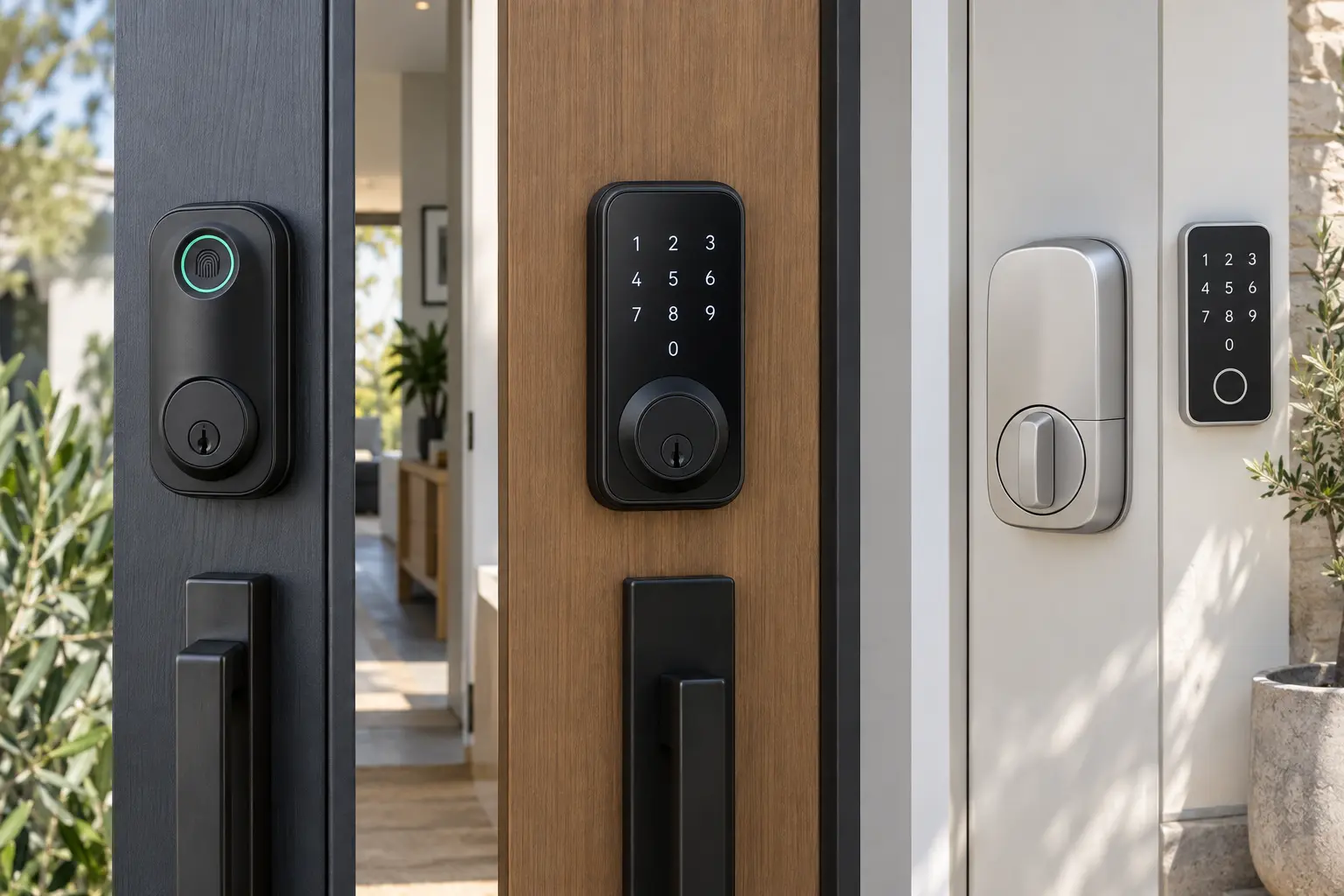
Illustrative editorial image, not an exact product photograph.
The YRD226HKMBK configuration pairs the Yale Home app and Apple Home Key with keypad entry, a physical-key cylinder, auto-lock and DoorSense. Access history and guest PINs make it useful for households and occasional visitors without forcing everyone to carry a phone.
Yale Assure Lock 2 naming is the main trap. This keyed Australian configuration is not a fingerprint model, and other Assure Lock 2 packages can use different connectivity modules and features. Match the complete SKU rather than the family name.
Pros
- Mainstream Australian availability
- Keypad and Apple Home Key
- Auto-lock and auto-unlock
- Door-position sensing
- Physical-key backup
Cons
- Configuration names are confusing
- Not fingerprint-enabled on this SKU
- Door preparation must match
- Connectivity varies by package
- Premium over basic keypad locks
| Access methods | Keypad, Apple Home Key, Yale Home app and physical key |
|---|---|
| Automation | Auto-lock, auto-unlock, DoorSense and access history |
| Remote access | Available when configured with the appropriate connectivity |
| Price context | About $319.45 at Bunnings during research |
| Evidence context | Limited local exact-SKU reviews; mature international platform and independent test history |
Aqara Smart Lock U100
Exact model: U100Illustrative editorial image, not an exact product photograph.
The U100 supports fingerprint, PIN, Apple Home Key, app access and a physical backup key. Fingerprint entry is fast for regular occupants, while PINs remain useful for guests and trades who should not be enrolled biometrically.
Local exact-model evidence is encouraging but immature. Owners and community reports also note that door-close sensing can require careful calibration. An Aqara hub is needed for some remote, voice-assistant and broader smart-home functions, so do not assume every integration is hub-free.
Pros
- Fingerprint plus Home Key
- Multiple backup access methods
- Strong Apple/Aqara fit
- Attractive during promotions
- No subscription for basic locking
Cons
- Hub needed for some features
- Very small Australian review pool
- Door sensor may need calibration
- Deadbolt geometry must match
- RRP is relatively high
| Access methods | Fingerprint, PIN, Apple Home Key, app and physical key |
|---|---|
| Hub | Required for some remote, voice and ecosystem features |
| Price context | RRP around $499.99; temporary Australian deals have been much lower |
| Evidence context | Exact-model ProductReview listing is positive but based on a very small local sample |
Lockly Vision Elite
Exact model: PGD798NVMBIllustrative editorial image, not an exact product photograph.
The Vision Elite combines a Full HD camera, infrared night vision, motion detection, two-way talk, fingerprint reader and PIN Genie keypad. The included hub, 32GB microSD storage and two rechargeable batteries make the package more complete than many locks whose remote features require extra hardware.
It is still a specialist purchase. At $785 it costs more than a capable lock plus many separate video doorbells, and its larger body and more complex installation add ownership risk. The combined camera-and-lock architecture also creates more potential failure points than a simple keypad deadbolt.
Pros
- Lock and video doorbell combined
- Extensive retailer review volume
- Local video storage
- No monthly subscription required
- Physical-key and battery backups
Cons
- Very expensive
- Large, visually prominent hardware
- More complex installation
- Many homes already have a doorbell
- More electronic components to maintain
| Video | Full HD, infrared night vision, motion detection and two-way talk |
|---|---|
| Entry methods | Fingerprint, PIN Genie keypad, app and physical backup keys |
| Connectivity | Included network hub; Alexa and Google Assistant support |
| Storage | Local storage with included 32GB microSD |
| Power | Two rechargeable batteries with solar-assisted charging |
| Warranty | 5 years mechanical/finish; 2 years electronics |
| Price context | $785 direct and at Bunnings during research |
Door compatibility comes first
Deadbolt-style locks require a compatible bore, backset and door thickness. Mortise locks, latch sets, narrow aluminium frames and multi-point doors may need a different product or substantial locksmith work. Poor alignment can prevent reliable locking and increase battery drain.
Before buying, download the exact model template and measure the door. Check handing, strike position, weather exposure and whether modifying the door affects fire ratings, strata rules, a rental agreement or insurance requirements.
Keypad, fingerprint or Home Key?
Keypads are simple, phone-free and guest-friendly. Fingerprint readers are faster for regular occupants but can be less reliable with wet or dirty fingers. Apple Home Key is exceptionally convenient for Apple users, but it is ecosystem-specific. A physical key or another reliable backup remains valuable.
Hubs, remote access and internet outages
Bluetooth control near the door is not the same as remote Wi-Fi access. Depending on the lock, remote status, voice assistants and wider automation may require a bridge, Wi-Fi module or Aqara hub. Local keypad, fingerprint, Home Key and physical-key entry can generally continue when the internet is down, but remote app functions cannot.
Battery failure and backup entry
Batteries eventually fail. Use low-battery warnings, keep the mechanical key somewhere accessible outside the locked home, and understand any external emergency-power contacts. Removable indoor battery access is only useful if someone is already inside.
Guest access, subscriptions and security
Time-limited PINs are useful for visitors, trades and short stays, but do not assume direct Airbnb integration unless the exact lock and platform confirm it. Basic lock/unlock does not require a subscription on these picks; the Lockly also stores video locally without a monthly fee.
No smart lock is “unhackable”. Security depends on the physical lock and installation, PIN hygiene, account protection, firmware support and control of backup keys. Use unique passwords and multi-factor authentication where available, and remove access when a guest no longer needs it.
Which one should you buy?
Choose the Yale Assure Lock 2 YRD226HKMBK for a mature mainstream keypad and Apple Home Key platform. Choose the Aqara U100 when fingerprint entry and Apple integration matter most. Choose the Lockly Vision Elite only when its integrated video doorbell and local storage justify the price and bulk.
Frequently asked questions
What is the best smart lock in Australia?
The Yale Assure Lock 2 is our best overall choice for a compatible deadbolt. Aqara U100 is better for fingerprint-focused Apple users, while Lockly Vision Elite suits buyers wanting integrated video.
Will a smart lock fit my existing door?
Not automatically. Measure the bore, backset and door thickness, confirm handing and alignment, and compare them with the exact model template before buying.
Is fingerprint or keypad entry better?
Fingerprint is fastest for regular occupants; keypad access is easier to share with guests and works without enrolling biometrics. The best choice depends on who needs entry.
Do smart locks work if the internet goes down?
Local entry methods usually continue, including PINs, fingerprints, Home Key and physical keys. Remote app control, notifications and cloud automations may stop until connectivity returns.
What happens if a smart lock battery dies?
Use the model's physical key or external emergency-power method. Replace batteries when warnings appear rather than waiting for a complete failure.